Solo trainer · Step 11 of 12
Bring in your athletes
Add the families you already train, and answer the inquiries your page brings in.
About 10 minutes
New families come in through your public page, the way you just tried. The families you already train do not need to ask. Add them yourself.
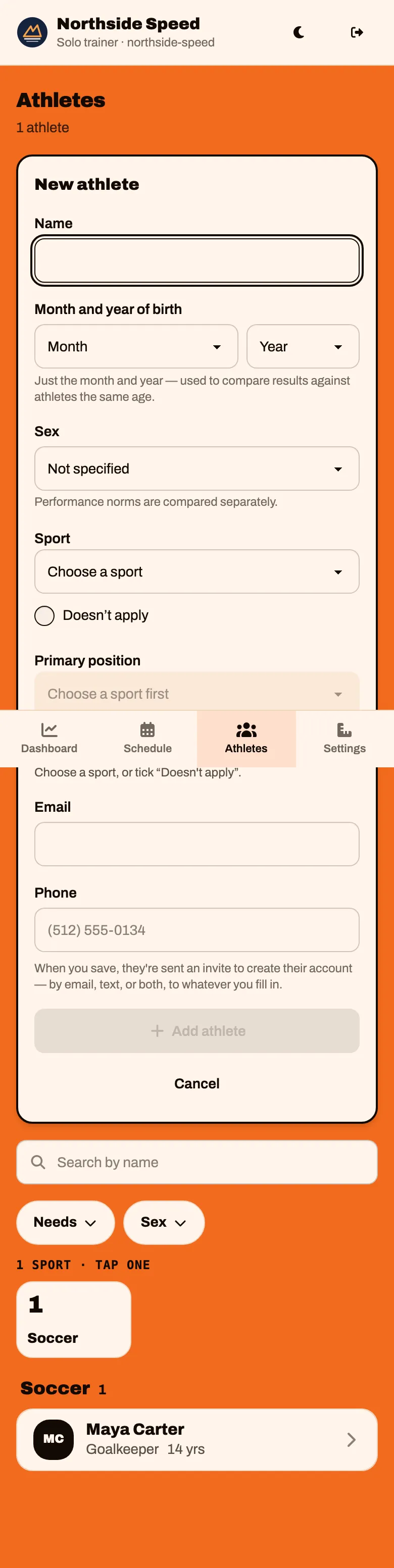
Tap Athletes in the bar at the bottom, then tap Add
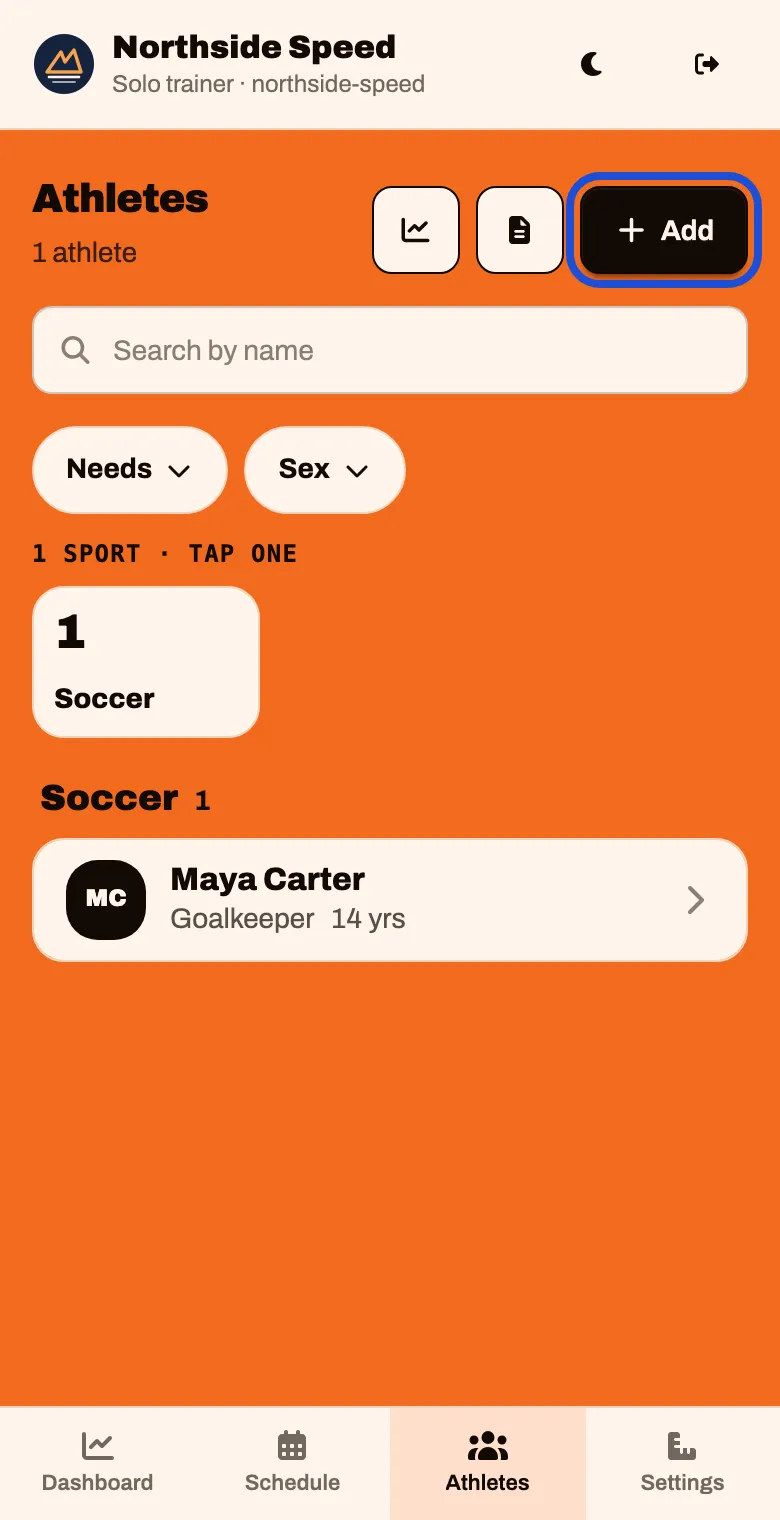
There are three ways to add someone. Use whichever fits.
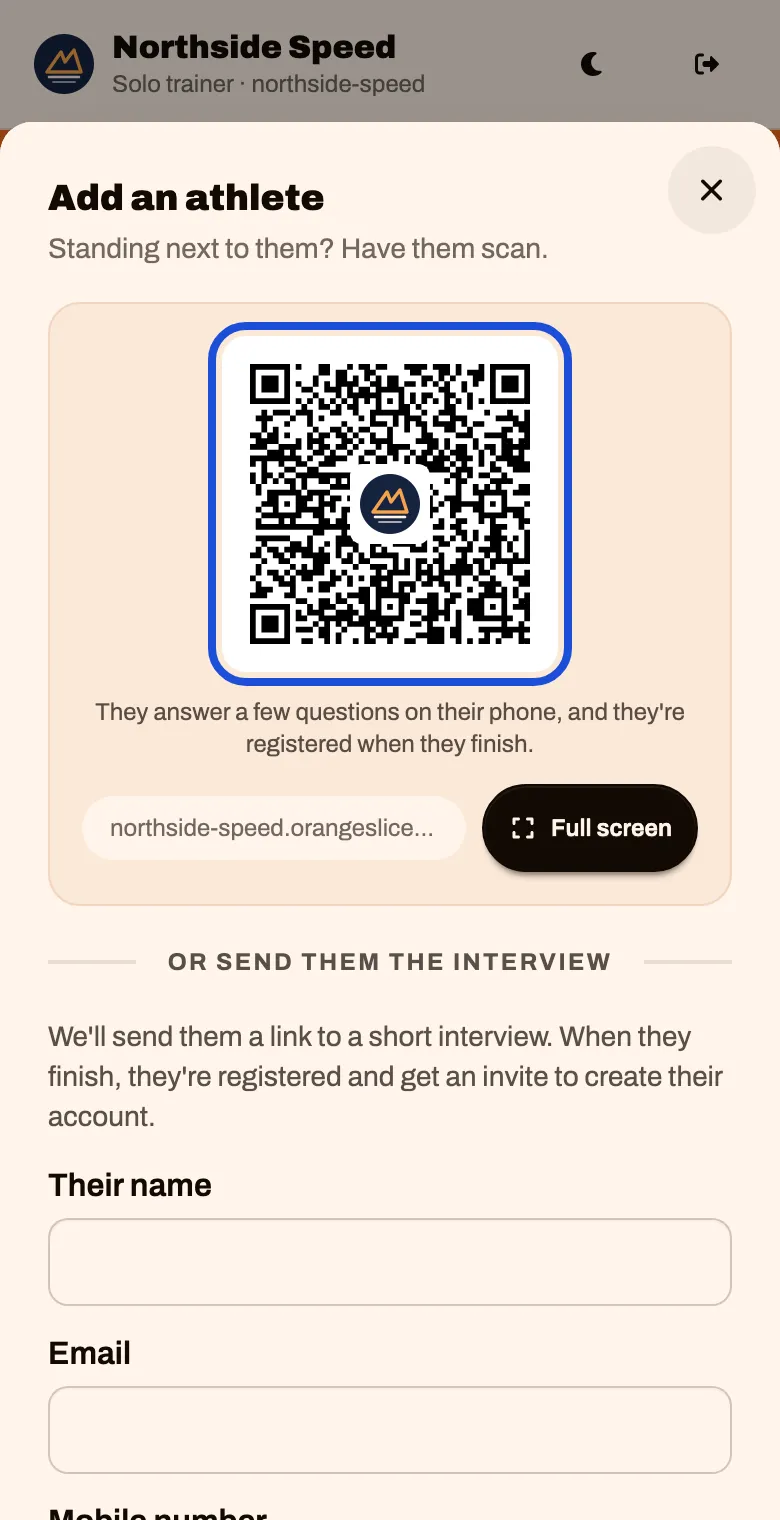
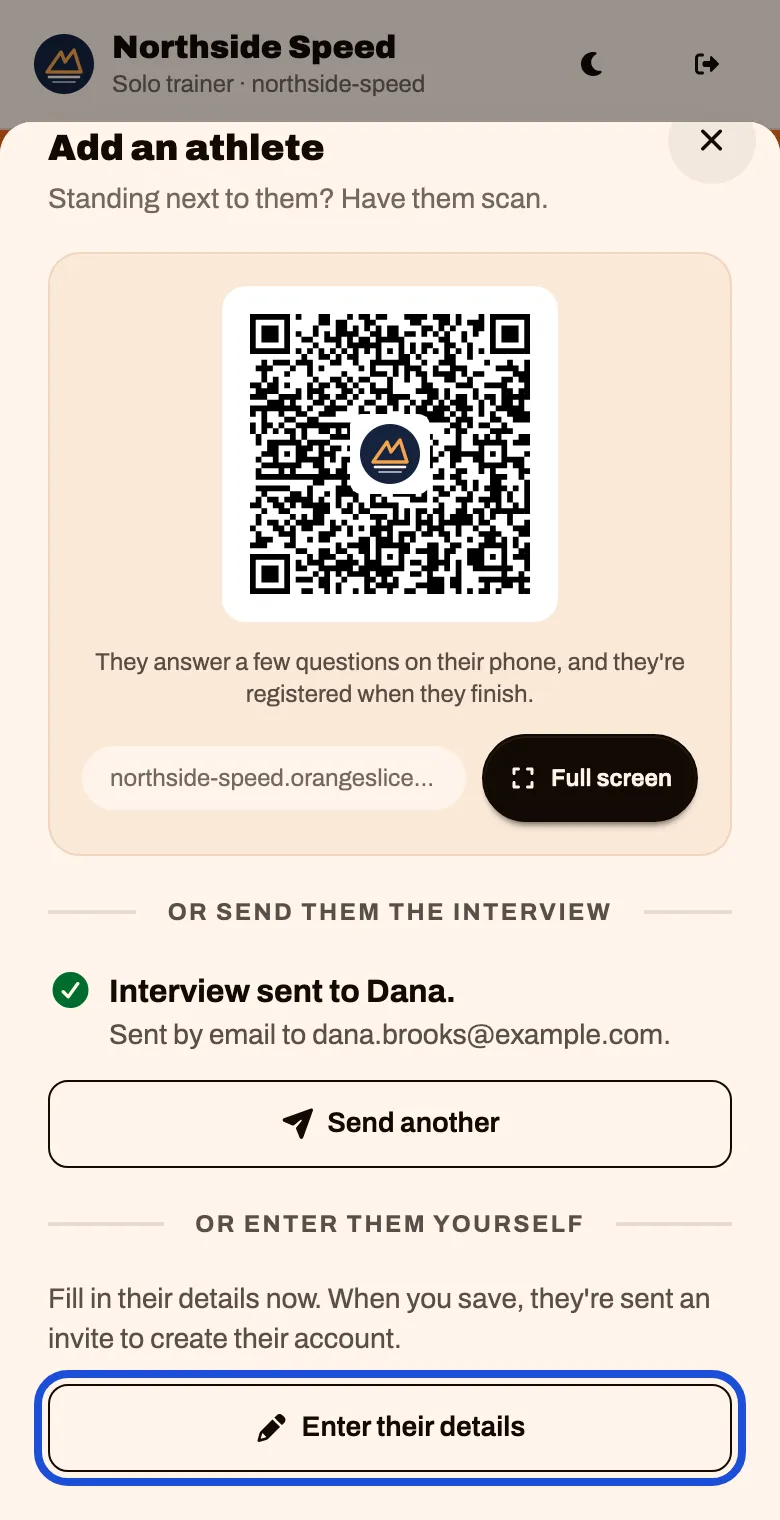
Standing next to them: the code
Have them point their phone camera at the code. Tap Full screen to make it bigger.
They answer a few questions on their own phone, and they are on your roster when they finish.
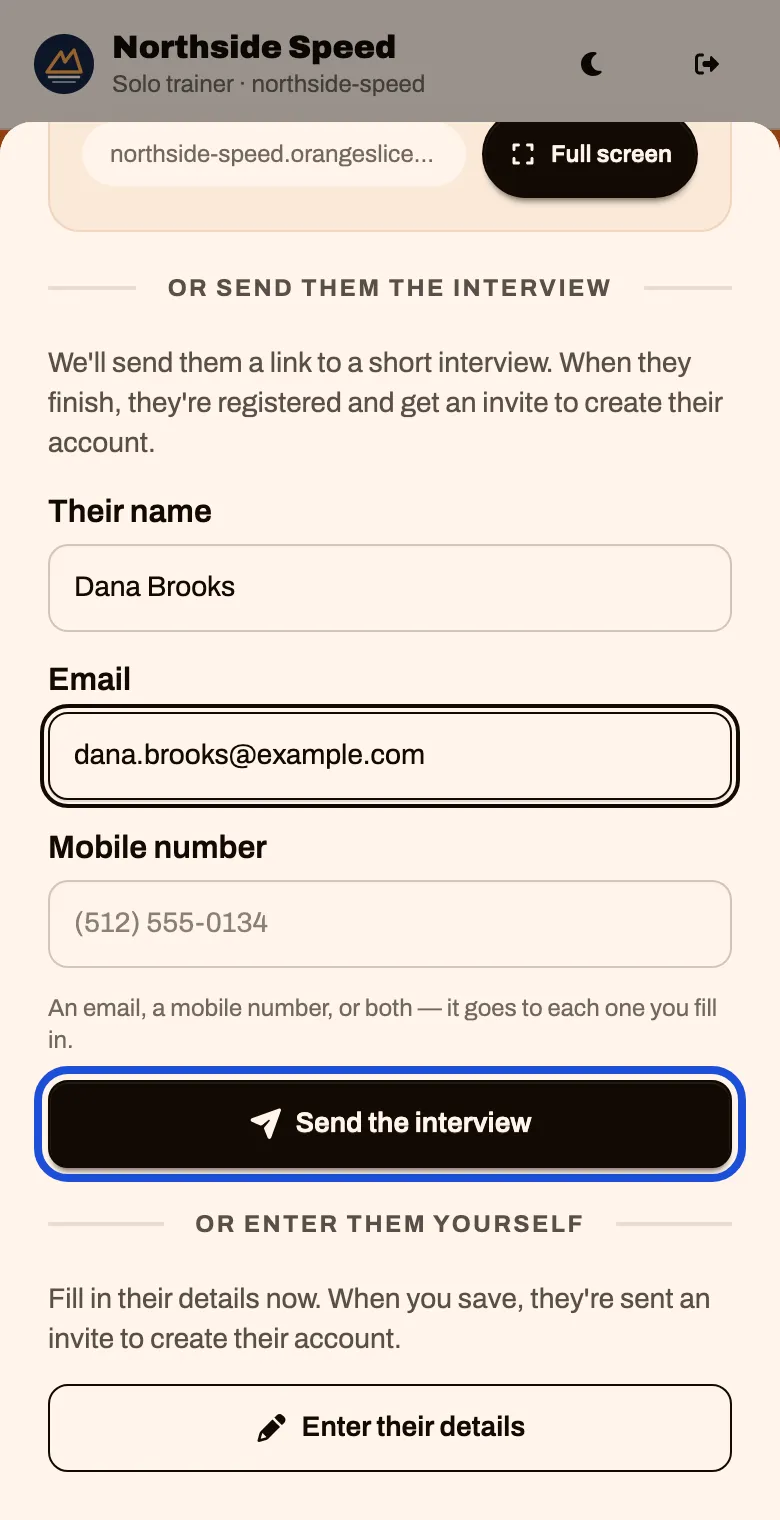
Not with you: send them the interview
Under Or send them the interview, type their name and an email, a mobile number, or both. Tap Send the interview
It confirms where the link went. Tap Send another for the next family.
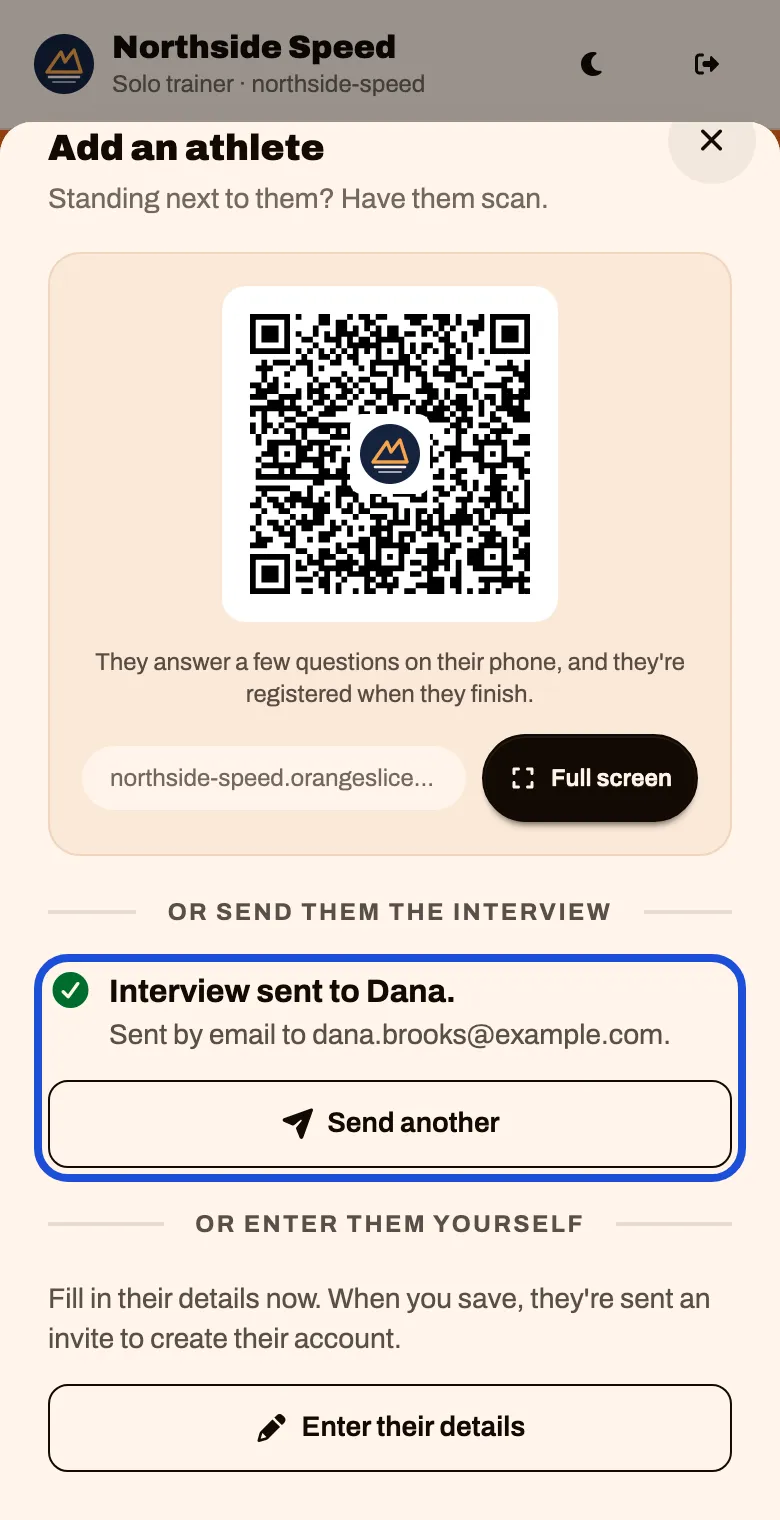
When they finish the interview, they are added to your roster and invited to create their account. You get an email called Registered.
You have their details: enter them yourself
Tap Enter their details
Fill in the athlete. Choose their sport and position, or tick that it does not apply. Tap Add athlete
They are sent an invitation to whatever email or phone you typed.
Answering inquiries
Inquiries from your public page wait for you under Inquiries, at the bottom of the Dashboard.
| Where it sits | What it means | What to do |
|---|---|---|
| Waiting | They finished. You were emailed | Read it. Tap Accept and invite, or Not a fit |
| Started | They left their details but have not finished | Nothing, or tap Send the link again. You can also call them |
| Filtered | Held back as possible spam | If it is real, accept it the same way |
Declining sends nothing to the family.