Solo trainer · Step 4 of 12
Get paid by card
Connect a Stripe account so families can pay you by card. The money goes to your Stripe account, not ours.
About 10 minutesThen Stripe reviews it
Card payments run through Stripe, a payments company. You open your own Stripe account from inside OrangeSlice Athlete, and families’ payments land in it. Stripe then pays out to your bank.
Do this step early. Stripe reviews every new account, and that can take a day or two.
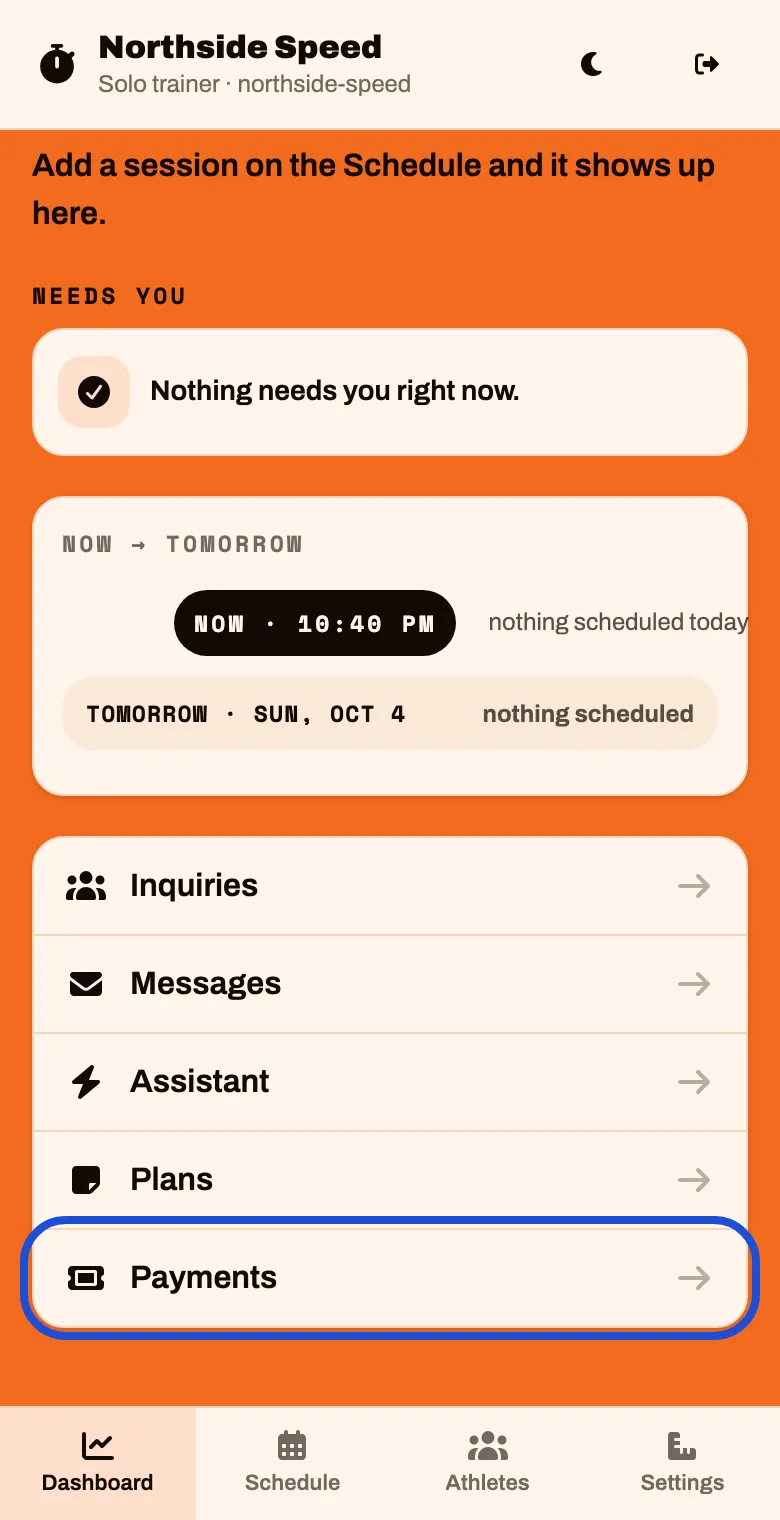
On the Dashboard, scroll to the bottom and tap Payments
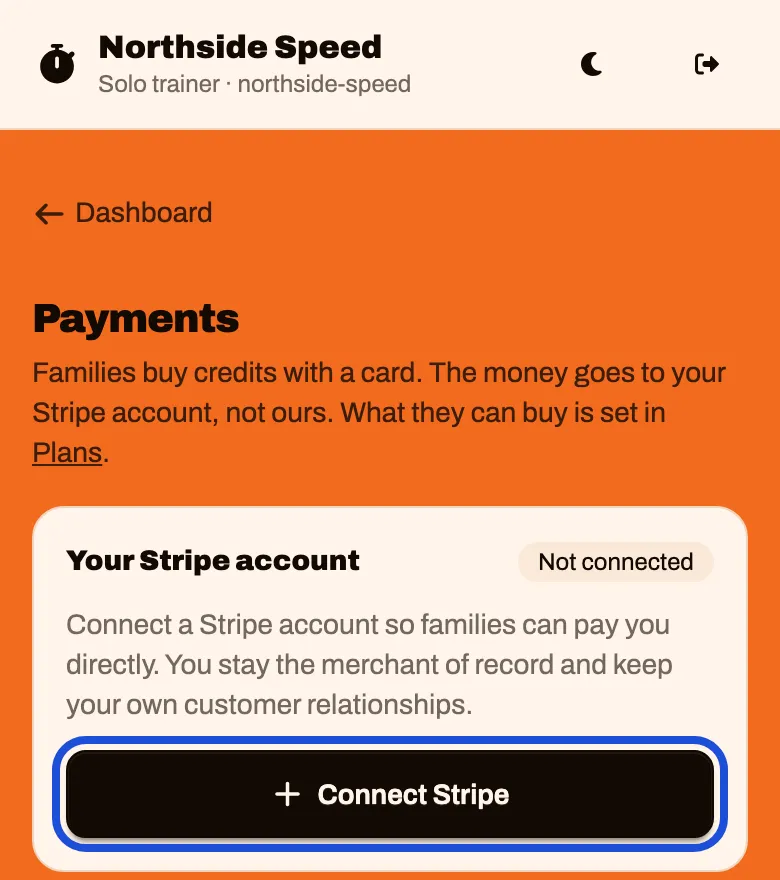
Tap Connect Stripe
This creates your Stripe account. It does not open Stripe yet.
The button changes. Tap Continue on Stripe
This is the tap that opens Stripe.
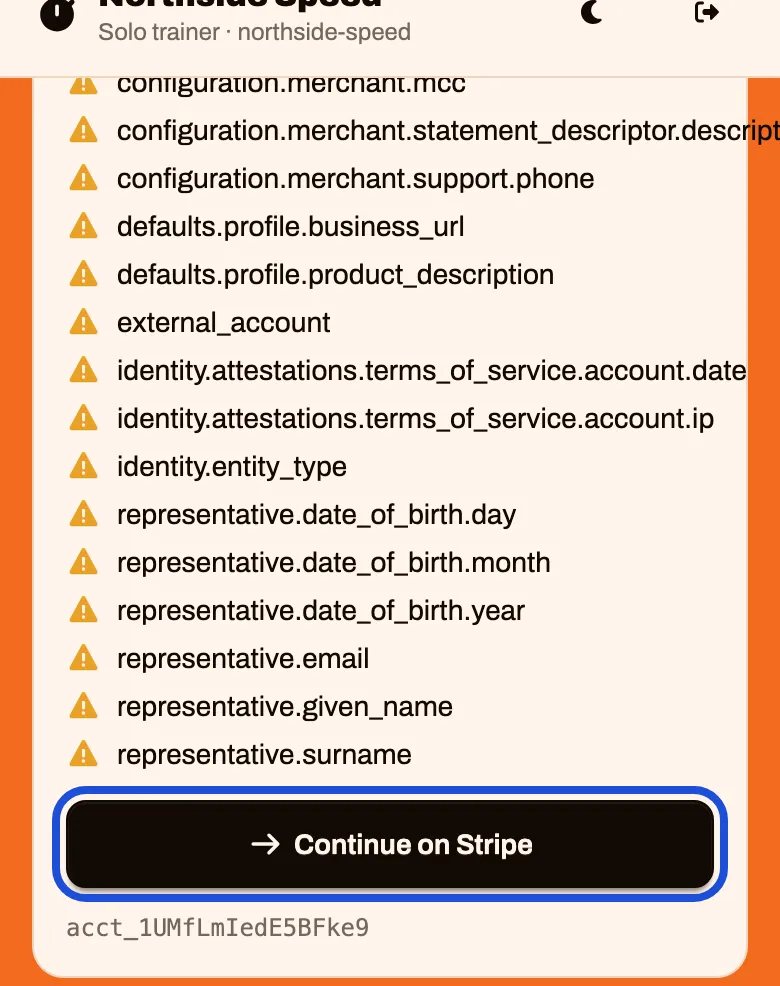
Answer Stripe’s questions. It asks for an email first, then for the things in the list above.
If you already have a Stripe account, you can use the same email.
When you finish, Stripe brings you back to Payments.
What it costs
- OrangeSlice Athlete’s fee is shown on the Payments screen under What this costs, with an example.
- Stripe’s fee is separate and comes out of each payment before it reaches your bank. For US cards it is 2.9% + 30¢ as of October 2026. Check Stripe’s pricing for today’s rate.
Until Stripe is ready
You can keep setting up. Families can see your plans but cannot buy them, and a first visit you charge for is paid to you in person.